


You can set up a student planner for the new term in about ten minutes: add your term and holiday dates, load your timetable, add your exams and the first deadlines, then turn on reminders. Do it before the first day back, and your first week runs itself.

What do you need before you start?
Gather four things: your term and holiday dates, your class timetable, your exam dates (even rough ones) and any deadlines your teachers have already given you. A photo of your timetable is enough. If your school uses a rotating schedule, such as Day A and B or Week 1 and 2, note how it works.
How do you set up a planner in 10 minutes?
- Add your terms and holidays (2 minutes). MyStudyLife is built around the academic year, so you enter term and holiday dates, and it pauses your classes during breaks so you are not reminded about lessons you are not having.
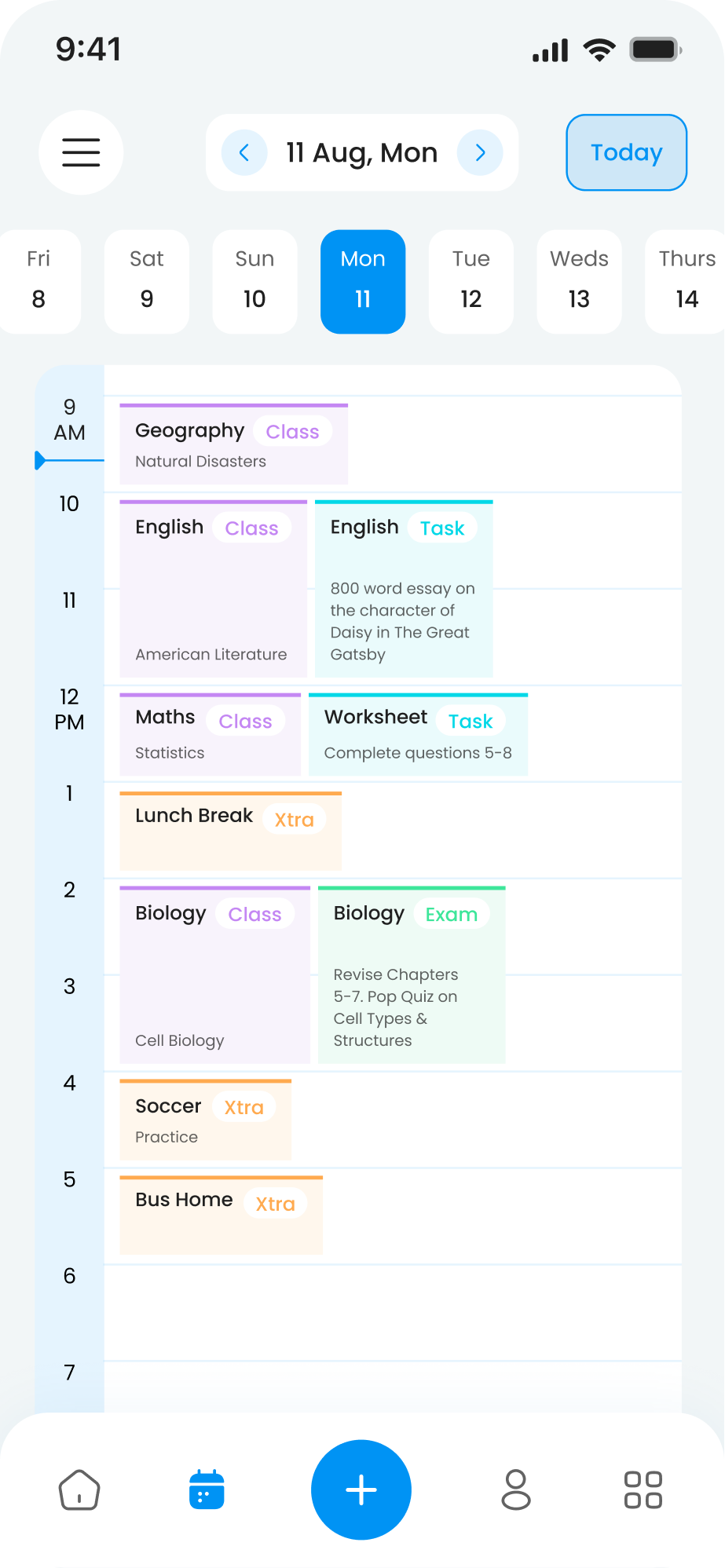
- Add your classes (3 minutes). Type them in, tell Scout your week in plain English, or use Schedule Scan to read a photo, screenshot or PDF of your timetable. Schedule Scan is part of MSL+, which includes a 7-day trial. Rotating weeks and day-based timetables are supported.
- Add your exams (1 minute). Add the date, the subject and the room. You will see a countdown, and you can attach revision tasks to each exam.
- Add your first tasks (2 minutes). Add what is already due, using task types such as essay, reading or revision, and set a due date. For bigger pieces, log partial progress as you go.
- Turn on reminders and sync (1 minute). Allow notifications for classes, exams and tasks, and, if you use another calendar, import your school calendar through an iCal feed or mirror MyStudyLife to Google or Apple Calendar.
- Set up your focus sessions (1 minute). Pick one subject and plan your first session. Our guide to the MyStudyLife focus timer shows how.
What should you set up first if you only have five minutes?
Do exams and deadlines first. Classes repeat and are hard to forget, but a missed deadline or an exam you did not know about cannot be fixed afterwards. Then add the timetable when you have another few minutes.
How do you make the habit stick?
- Weekly review. Choose one time, such as Sunday evening, to check the next seven days.
- Add tasks the moment you hear them. Do it in class or in the corridor, not at home.
- Keep the planner honest. Tick off or reschedule tasks daily so your list never fills with old items.
- Use a focus timer for the hard tasks. See focus timers for studying.

Can parents see the plan?
Yes, if you link accounts. A parent can follow upcoming work and exams through Family Connect, and the student controls what is shared. Agree what they will look at before you link, using our guide to monitoring grades without hovering.
FAQ
What is the best way to start a new term?
Enter dates first, then deadlines, then your timetable, then reminders.
Is MyStudyLife free?
The core planner is free. Schedule Scan needs MSL+.
Does it work offline?
Yes. You can plan offline and it syncs when you reconnect.
Related reading: Class schedule builder | App tour | Study Tips


