

The 10 Best AI Study Tools Students Are Actually Using in 2026
(And Which Ones Are Worth Your Time)
AI study tools went from novelty to necessity sometime around late 2024. By now, nearly every student has used one—whether it’s an AI tutor, a flashcard generator, or a planning app that rewrites your schedule when life gets chaotic.
But here’s the problem: there are hundreds of them now. Some are genuinely useful. Some are ChatGPT wrappers with a pastel colour scheme. And some will actively make your study habits worse by doing the thinking for you.
We tested, compared, and talked to students about the AI-powered tools they’re actually using day-to-day in 2026. Here are the ten that made the cut—and more importantly, how they help you learn rather than just helping you cheat.
1. MyStudyLife — AI-Powered Student Planner

Best for: Organising your entire academic life in one place
Full disclosure: this is us. But MyStudyLife has been the go-to student planner for over 24 million students worldwide, and the AI features we’ve been rolling out in 2025–26 are the reason we’re including ourselves on this list.
Most AI study tools focus on content—helping you understand material, generate flashcards, or summarise notes. MyStudyLife focuses on the structure around your studying: your timetable, your deadlines, your task load, and how it all fits together. The AI layer works behind the scenes to flag clashes, suggest study blocks, and nudge you when something’s slipping. If you’re new to structured planning, our guide to hourly planning for students is a good starting point.
Features like the built-in Pomodoro timer and the daily dashboard mean you’re not bouncing between five apps just to stay on top of your week.
What makes it different: It’s not trying to replace your brain. It’s trying to free up your brain so you can actually focus on learning. Think of it as the organisational backbone that makes every other tool on this list more effective.
Works on: iOS, Android, Web
2. Notion AI — Smart Notes & Knowledge Base
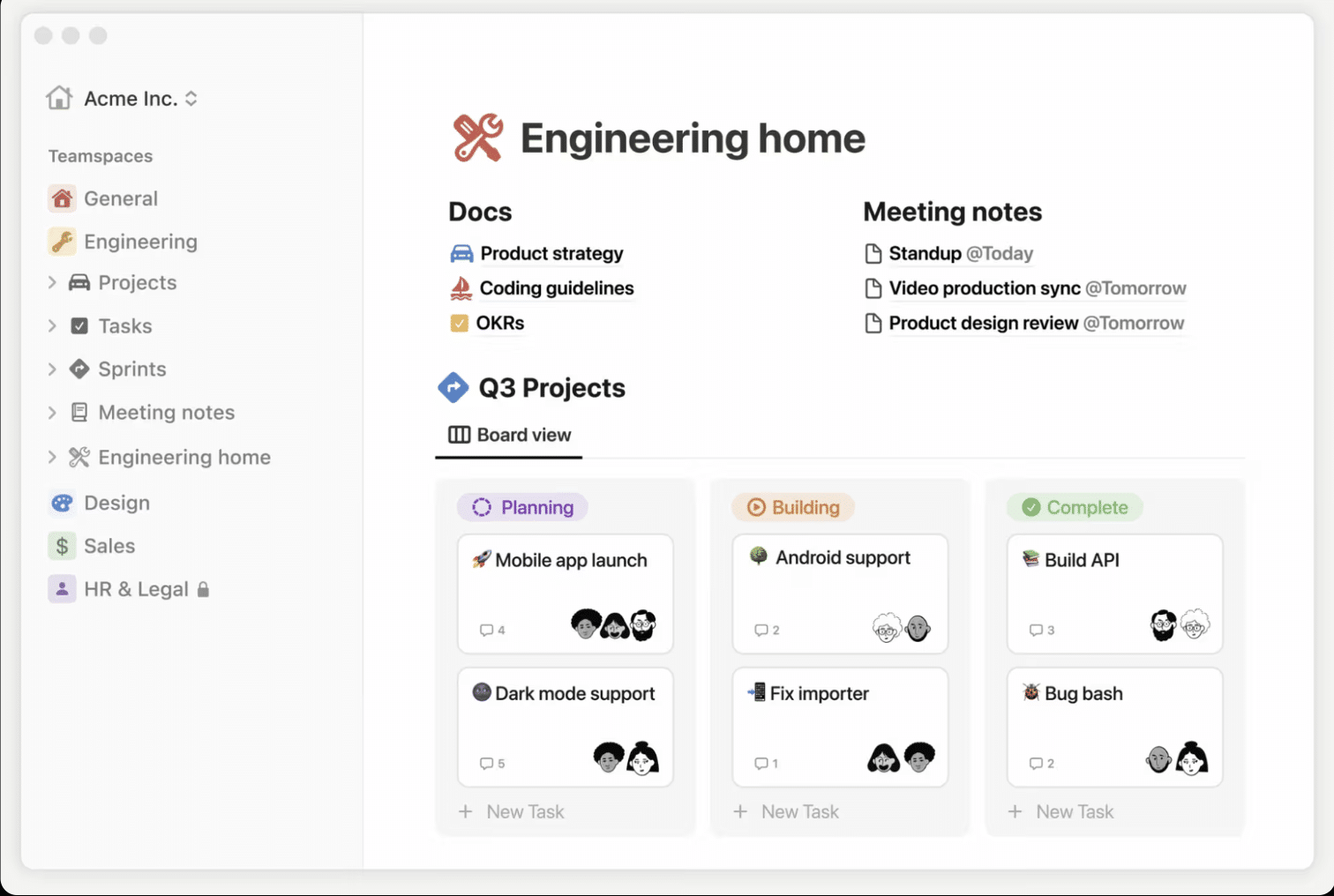
Best for: Students who take detailed notes and want AI to help connect them
Notion was already the power-user’s note-taking app. The AI layer turns it into something closer to a second brain. You can ask it to summarise a week’s worth of lecture notes, pull out key concepts, draft study guides, or find connections across different pages in your workspace.
The real unlock is using Notion AI on top of your own notes rather than generating content from scratch. When it’s working with material you’ve already engaged with, the summaries and connections are dramatically more useful. This aligns with what researchers call active learning—engaging with material rather than passively consuming it.
Best feature: The Q&A mode that searches across your entire workspace. Ask it “what did my professor say about enzyme kinetics?” and it pulls from your actual lecture notes.
Watch out for: Setup overhead. Notion is powerful but not plug-and-play—it takes time to build a system that works for you.
3. Anki (with AI Add-ons) — Spaced Repetition Flashcards
Best for: Med students, language learners, anyone memorising large volumes of material
Anki has been the gold standard for spaced repetition for years, and the 2025–26 wave of AI add-ons has made it significantly easier to use. Tools like AnkiPilot and AI-powered card generators can turn lecture PDFs, textbook chapters, or even YouTube transcripts into ready-to-review flashcard decks in minutes.
The spaced repetition algorithm is still doing the heavy lifting here—AI just removes the biggest barrier to entry, which was always the time it took to create good cards. The science behind spaced repetition is rock-solid: a meta-analysis published in the Proceedings of the National Academy of Sciences found that optimised spacing algorithms significantly outperform alternative study schedules, and further research from the NIH confirms that spaced practice can double recall efficiency compared to cramming.
Pro tip: Always review and edit AI-generated cards before studying them. The act of fixing a badly worded card is itself a form of active recall.
4. Perplexity — AI Research Assistant

Best for: Research, essay prep, and getting up to speed on unfamiliar topics
Perplexity sits in the gap between a search engine and a chatbot. You ask it a question, it searches the web, reads the sources, and gives you a synthesised answer with inline citations. For students, this is enormously useful for the early stages of essay research or when you need to quickly understand a topic you’re unfamiliar with.
Unlike ChatGPT, Perplexity is transparent about where its information comes from. Every claim links back to a source, which means you can verify and then cite the original material in your work.
Best use case: “Explain [complex topic] and give me the key academic sources” as a starting point, not an endpoint. For advice on turning that early research into effective study sessions, see our tips on how to study effectively.
5. Goblin.tools — Task Breakdown & Executive Function Support
Best for: Students with ADHD, executive function challenges, or chronic overwhelm
Goblin.tools is small, free, and absurdly useful. Its core feature, the Magic ToDo, takes a task like “write my history essay” and breaks it into concrete sub-steps: find three sources, write a thesis statement, draft an outline, and so on. You can adjust the granularity from broad strokes to hyper-specific micro-tasks.
It’s become particularly popular among neurodivergent students who struggle with task initiation—the hardest part of studying is often figuring out what to do first, and Goblin.tools solves that in seconds. If task initiation is something you struggle with, our guide to time management for students covers complementary strategies.
Pairs well with: MyStudyLife. Break tasks down in Goblin.tools, then schedule the sub-tasks across your week in MyStudyLife’s planner.
6. Quizlet — AI-Enhanced Flashcards & Practice Tests
Best for: Quick revision, collaborative study sets, and practice testing
Quizlet’s AI features have matured significantly. The Q-Chat tutor asks you questions in a conversational format rather than just flipping cards, and the AI-generated practice tests can simulate exam conditions based on your study sets. The Learn mode adapts to your weak points and resurfaces material you’re getting wrong.
Where Quizlet beats Anki is accessibility—it’s far easier to get started, the mobile app is polished, and the library of shared study sets means you’re rarely starting from zero.
Best feature: Practice test generation. Turning your flashcards into mock exams is one of the most effective study techniques research supports. Studies consistently show that students who self-test significantly outperform those who simply re-read their notes. For more on building a revision routine around this, check out our final exam study tips.
7. Otter.ai — AI Lecture Transcription
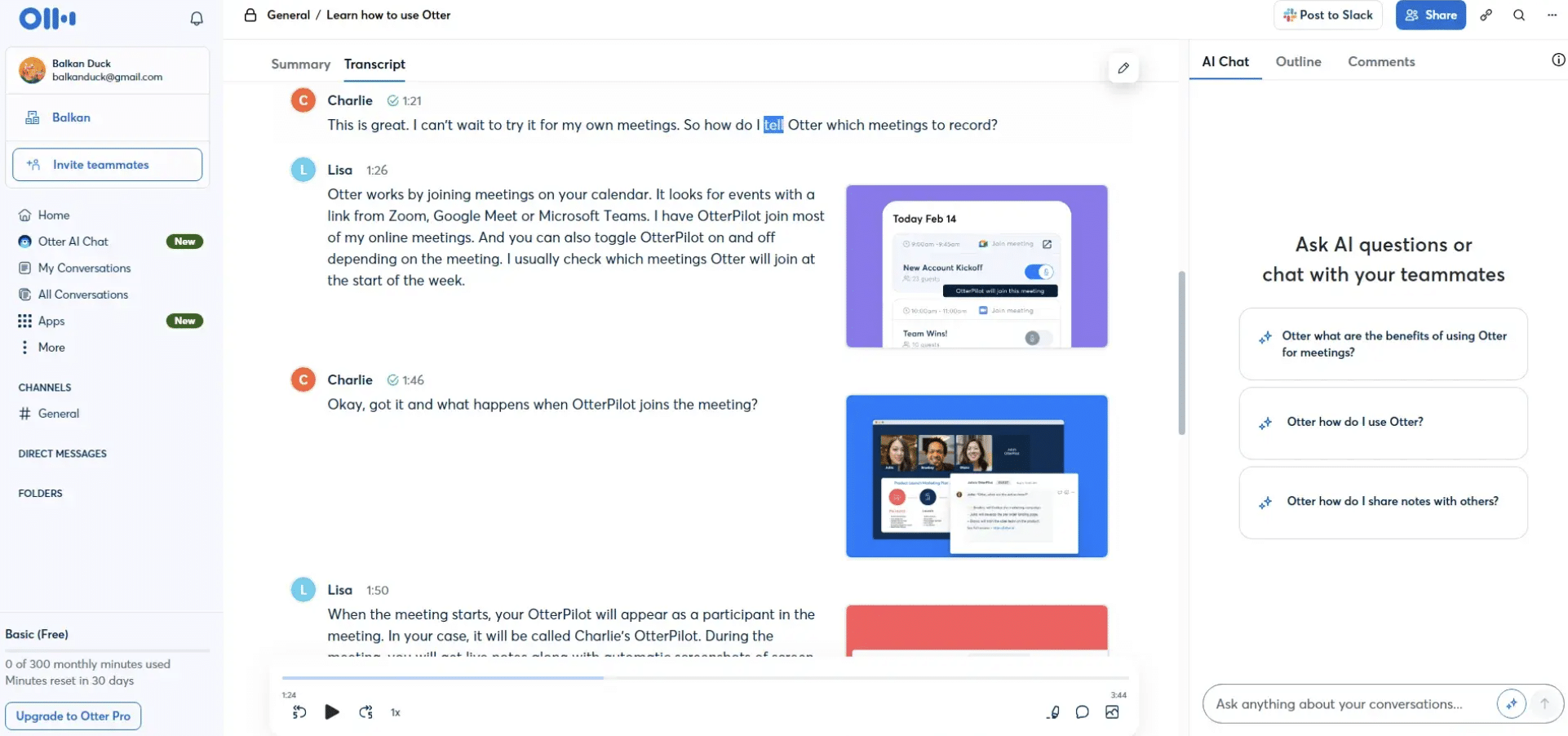
Best for: Recording and searchable transcripts of lectures and study groups
Otter.ai transcribes lectures in real time with surprisingly good accuracy, then lets you search, highlight, and annotate the transcript afterwards. The AI summary feature pulls out key points and action items, which is useful for long or meandering lectures where the important bits are buried.
The real value isn’t replacing note-taking—it’s giving you a safety net. You can focus on understanding during the lecture rather than frantically scribbling, knowing the transcript is there if you need to go back.
Watch out for: Don’t use it as an excuse to zone out. A transcript you never review is the same as no transcript at all. Pair it with a proper revision schedule—our midterm exam study guide has a framework for this.
8. ChatGPT & Claude — General-Purpose AI Tutors
Best for: Explaining concepts, working through problems, and Socratic dialogue
The large language models deserve a spot on this list, but with heavy caveats. ChatGPT and Claude are excellent at explaining concepts in multiple ways, walking you through problem-solving step by step, and playing the role of a patient tutor who never gets frustrated when you ask “but why?” for the fifth time.
The danger is using them to generate rather than understand. Asking “write my essay on the French Revolution” teaches you nothing. Asking “I’m confused about why the Tennis Court Oath was significant—can you explain it and then quiz me?” is a completely different use case. This distinction maps directly to what cognitive scientists call retrieval practice—the idea that actively pulling information from memory strengthens long-term retention far more than passively re-reading it.
Rule of thumb: If the AI is producing the output, you’re not learning. If the AI is helping you produce the output, you are.
9. SciSpace — AI Research Paper Reader
Best for: STEM students, postgrads, and anyone reading dense academic papers
SciSpace lets you upload a research paper and interact with it conversationally. Highlight a confusing paragraph and ask “what does this mean in plain English?” and it explains it in context. It can also extract key findings, explain methodology sections, and generate literature review summaries.
For students who are expected to read 10+ papers a week, this is a genuine time-saver—not because it replaces reading, but because it helps you triage. You can quickly identify which papers are actually relevant to your research question before committing to a deep read.
Best feature: The “explain this” highlight tool for equations, jargon, and dense methodology sections.
10. Gamma — AI Presentation Builder
Best for: Creating presentation slides without wanting to throw your laptop out the window
Every student has been there: the content is done, the research is solid, and now you have to spend three hours making slides that don’t look like they were designed in 2008. Gamma takes your notes, outline, or even a rough paragraph and turns it into a clean, professional presentation in minutes.
It’s not going to win any design awards, but it gets you 80% of the way there instantly. You can then customise the slides, swap out images, and tweak the layout rather than building from scratch.
Best for: Group projects where nobody wants to be the person who “does the slides.”
The Bigger Picture: AI as a Study Partner, Not a Shortcut
The common thread across every tool on this list is that the best AI study tools augment your learning process rather than replace it. They help you organise, understand, and retain information—but they can’t do the actual learning for you.
The students getting the most out of these tools are the ones who use them intentionally: AI to break down tasks and plan their week (MyStudyLife, Goblin.tools), AI to deepen understanding (ChatGPT, Claude, SciSpace), AI to optimise revision with proven techniques like spaced repetition and retrieval practice (Anki, Quizlet), and AI to remove friction from busywork (Otter.ai, Gamma).
The students getting the least out of them? The ones copy-pasting AI output and calling it studying.
Use these tools wisely, and they’ll genuinely help you learn faster. Use them lazily, and you’ll find out the hard way during exam season. For more on building the habits that actually stick, check out our complete guide to effective study habits and our college study tips.

Ready to get organised?
MyStudyLife is free to download on iOS, Android, and Web.
Further Reading from MyStudyLife
- Study Habits That Stick – Build Focus, Productivity & Better Grades
- 6 Best Time Management Tips for Students
- 10 Ways to Study Effectively
- Final Exam Study Tips: Strategies to Get Better Grades
- Midterm Exams: Study Tips and Planner Tools for Success
- Best Free Study Apps for Students
- 10 Best Online Study Tools for School
- 10 of the Best College Study Tips
- Hourly Planning: Best Time Management Tips


