


MyStudyLife (MSL) is a free student planner for classes, homework, exams and grades, used by more than 10 million students and available on web, iOS and Android. This page answers the questions people ask most, each in a few sentences so you can find your answer quickly.

The basics
What is MyStudyLife?
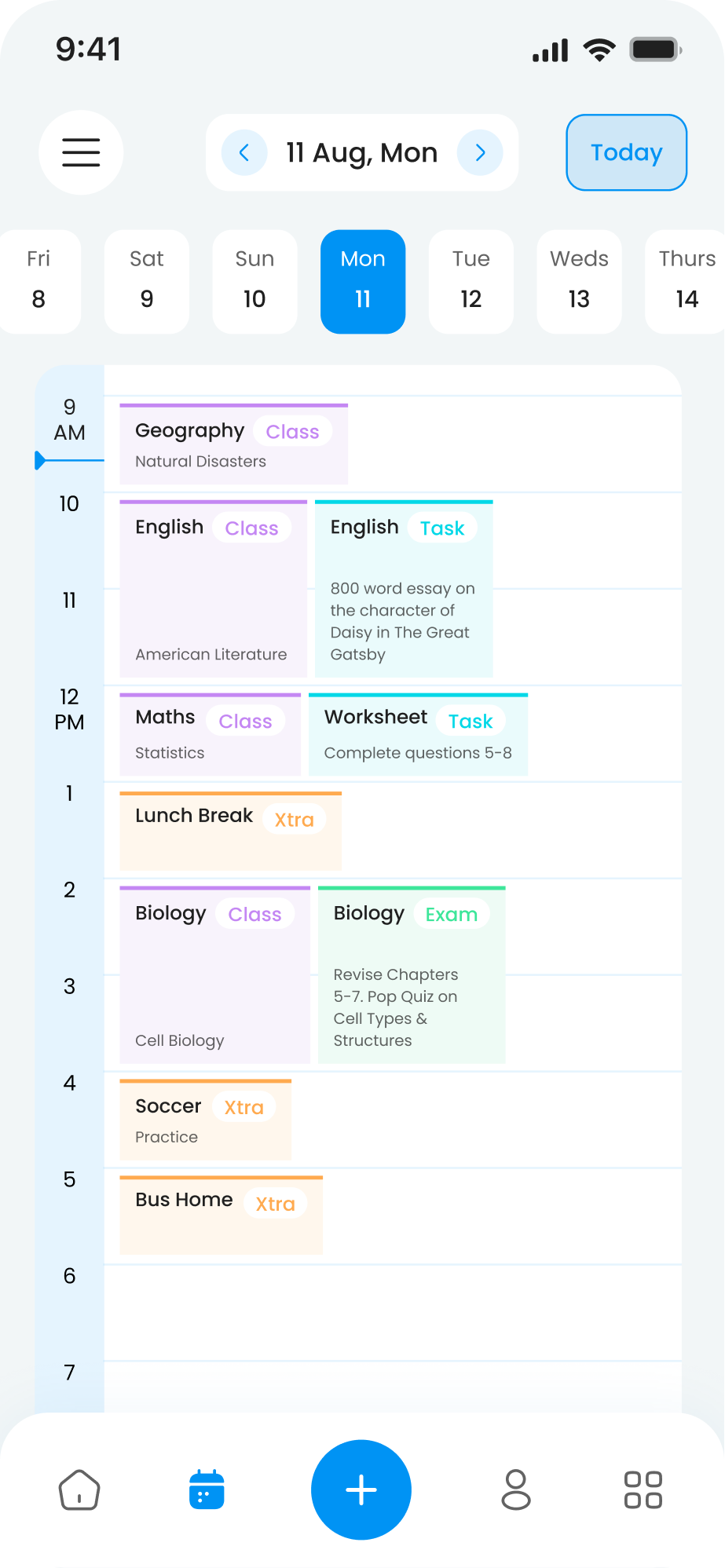
MyStudyLife is a planner made for students. It organizes your classes, tasks, exams and extracurriculars in one place and syncs across your devices.
Is MyStudyLife free?
The core planner is free. MSL+ is an optional paid upgrade with extra features, and the price depends on your country and store, so check the App Store or Google Play listing.
Who is MyStudyLife for?
High school and university students, and parents who want to follow their child’s schedule through Family Connect.
Which devices does it work on?
Web, iOS and Android. Your schedule and tasks sync automatically, so you can plan on a laptop and check on your phone. The Family Connect parent app is currently iOS only, with no Android version yet.
Does it work offline?
Yes. You can plan and check your schedule offline, and changes sync when you reconnect.
Timetables and schedules
Can I use MyStudyLife for rotating timetables?
Yes. It supports Day A/B, Week 1/2 and other rotating or custom schedules, plus term dates and holidays.
Can I import my school timetable?
You can pull your school calendar in using an iCal feed, and MyStudyLife can mirror to Google and Apple calendars. You can also build your week with our class schedule builder guide.
What is Schedule Scan?
It reads a photo, screenshot or PDF of your timetable and builds your schedule for you. It is part of MSL+, which includes a 7-day trial for new subscribers.
Will I get reminders during school holidays?
No. When you add holiday dates, classes pause so you are not reminded about lessons during breaks.
Tasks, exams and focus
What types of tasks can I add?
There are seven task types, including essays, group projects and reading. Tasks can repeat, have subtasks, and track partial progress, so you can log a task as 40% done.
Can I plan revision for an exam?
Yes. You can attach revision tasks to a specific exam and see a countdown. Our revision timetable guide shows how to lay it out.
Does MyStudyLife have a study timer?
Yes. The focus timer works in intervals with breaks, and you can link a session to a task. Read more in our Pomodoro technique guide.
Grades
Can I track my grades in MyStudyLife?
Yes. You log scores and grades as results come in, then see averages, your trend and a subject breakdown. For the maths behind it, see our guides to target grade calculator.
Scout, the AI study partner
What is Scout?
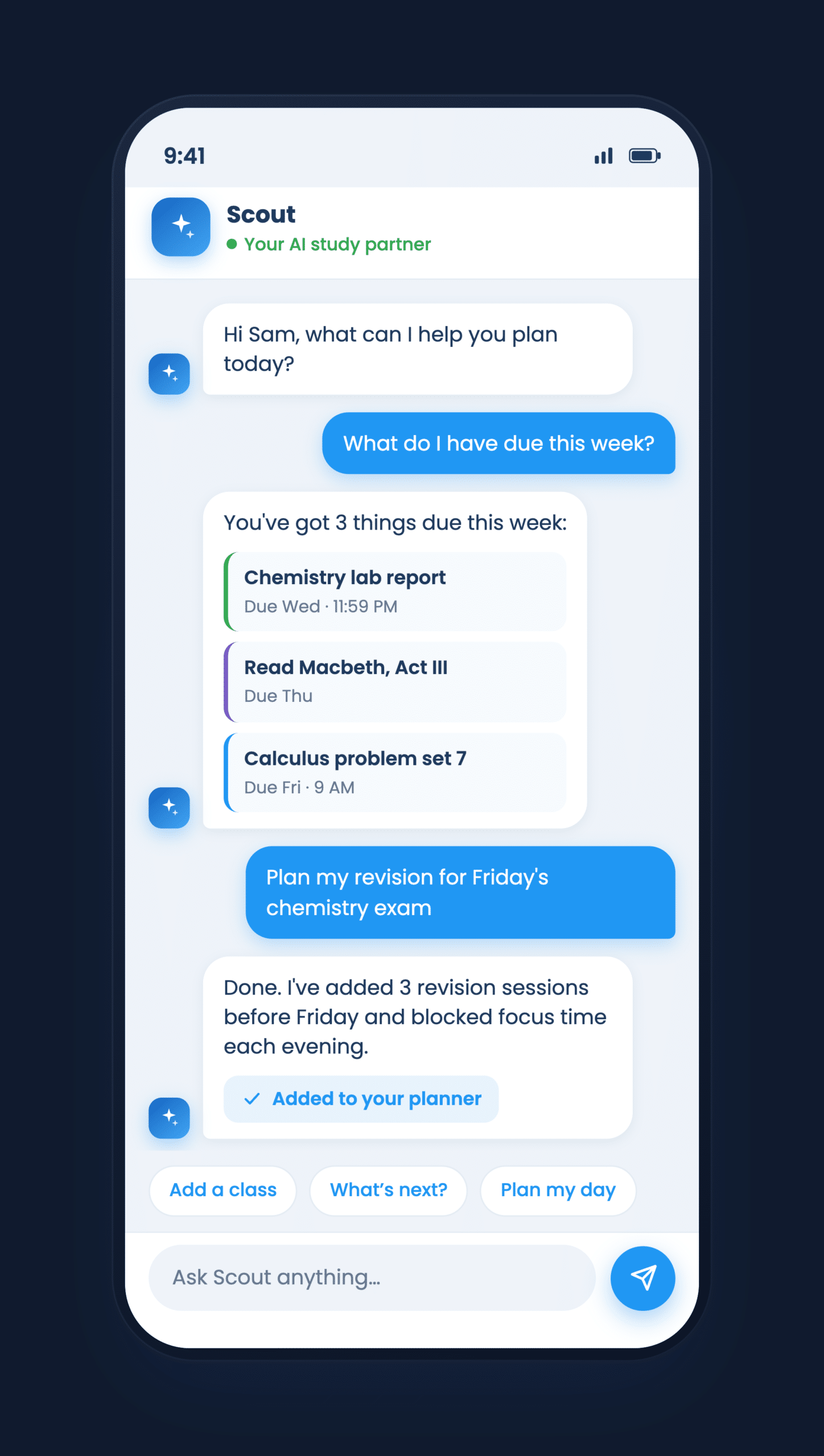
Scout is the AI chat built into MyStudyLife. You can ask it to plan your schedule, add classes by chatting, tell you what is due this week, and build a revision plan around an exam.
Family Connect
What is Family Connect?
It is the companion app for parents and other supporters. It links to your child’s planner so you can see homework, exams, grades and schedule. It is currently available on iOS only, with no Android version yet. Our setup guide explains how to link.
How many children can I add?
Up to five students on one subscription.
Who else can be linked?
A student can invite tutors, grandparents, guardians and coaches, and share with up to five supporters. The student controls what each supporter can see.
Will my child feel watched?
Family Connect is designed to support, not to surveil. Your child keeps control of their planner, and their private notes stay private. For ideas on how to start the conversation, read how to monitor your child’s grades without hovering.

Privacy and support
Is my data safe?
MyStudyLife states that it never sells your data. Its parent page lists GDPR and COPPA compliance and encrypted, secure data.
What happens if I lose my phone?
Your data is stored in the cloud, so it is available when you sign in on another device. Sync before you lose the device so recent changes are saved.
How do I contact support?
Email care@mystudylife.com.

Related reading: App tour | Best student planner app for parents | Study Tips


