


Back-to-School Preparation Checklist: How to Get Ready for a Successful Semester
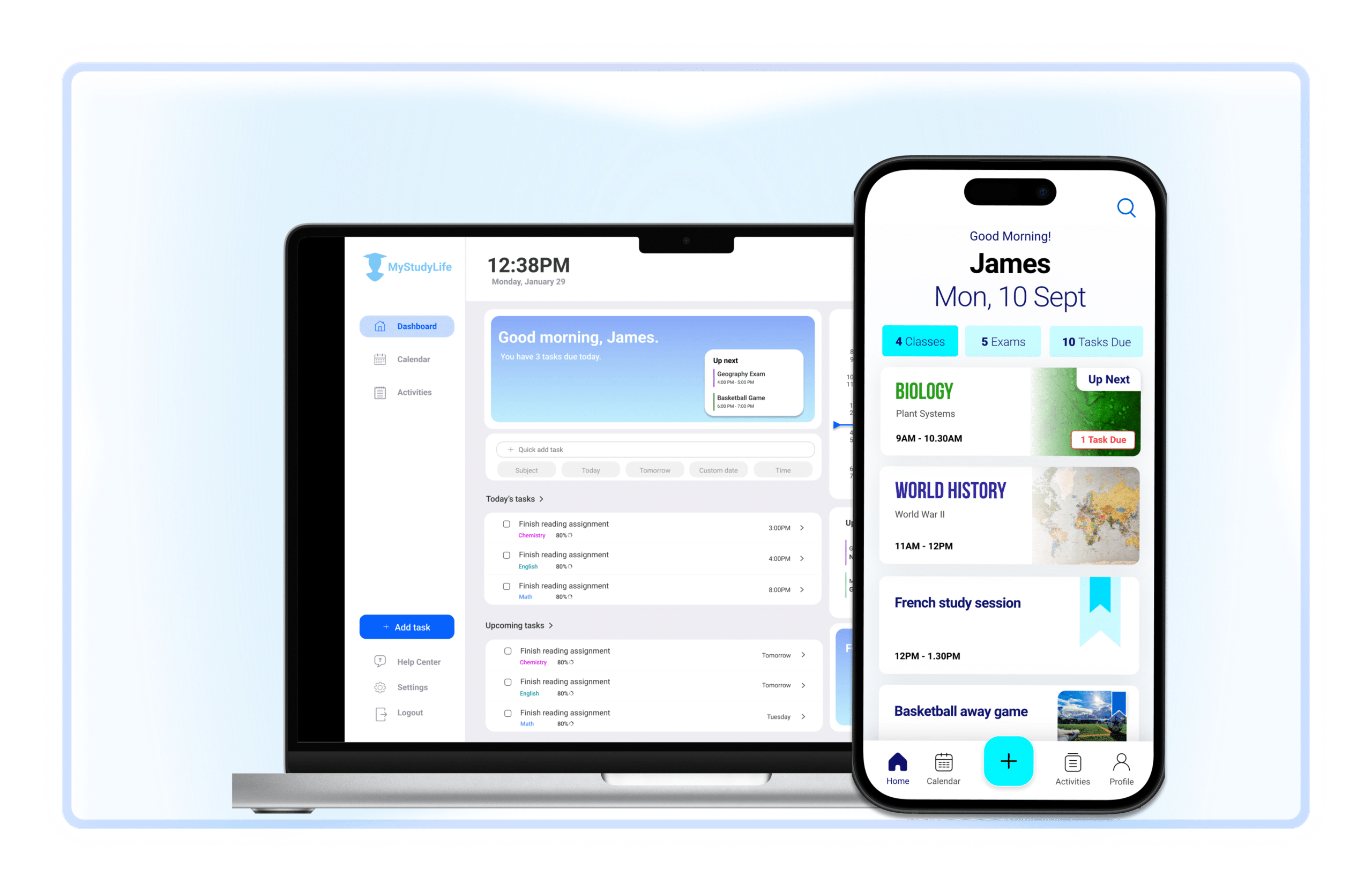
As summer comes to a close and the new school year approaches, it’s the perfect time to get organized and set yourself up for success. Preparing for a new semester involves more than just buying supplies; it requires planning and strategizing to ensure you stay on top of your workload, balance your activities, and maintain a healthy routine. Here’s a comprehensive checklist to help you get ready for the upcoming school year, including tips on using tools like MyStudyLife to streamline your organization.

1. Set Up Your Class Schedule
Why It’s Important: A well-organized class schedule is the foundation of a successful semester. It helps you manage your time effectively and avoid conflicts between classes and other commitments.
What to Do:
- Add Classes: Input all your classes into your planner, including the times and locations. Make sure to note any rotational schedules if applicable.
- Sync Across Devices: Ensure your schedule is synced across all your devices. This allows you to access your class times and locations no matter where you are, helping you stay on track.
Tips:
- Use a digital planner like MyStudyLife to keep your schedule updated and accessible at all times.
- Consider color-coding different classes or subjects to easily distinguish between them.
2. Create a To-Do List for the Semester
Why It’s Important: Breaking down your semester workload into manageable tasks helps prevent overwhelm and keeps you focused on what needs to be done.
What to Do:
- Break Down Tasks: List all major assignments, projects, and homework. Divide larger projects into smaller, actionable tasks to make them less daunting.
- Prioritize Tasks: Determine which tasks are most urgent or important. Use your planner to keep track of deadlines and prioritize accordingly.
Tips:
- Update your to-do list regularly to reflect any new assignments or changes in deadlines.
- Use a task management feature to set deadlines and reminders for each task, ensuring you stay on top of your workload.
3. Set Reminders for Important Deadlines
Why It’s Important: Timely reminders help you stay on top of deadlines and avoid last-minute cramming or missed assignments.
What to Do:
- Schedule Reminders: Input key deadlines for exams, assignments, and projects into your planner. Set reminders well in advance to give yourself ample time to prepare.
- Plan Study Sessions: Schedule dedicated study sessions leading up to major exams or project deadlines. This helps ensure you’re well-prepared and reduces stress.
Tips:
- Set multiple reminders for important deadlines to ensure you don’t miss them. For example, set a reminder a week before and a day before the deadline.
- Use notifications to keep track of upcoming deadlines and avoid last-minute panic.
4. Balance Academics and Extracurriculars
Why It’s Important: Balancing schoolwork with extracurricular activities is essential for maintaining a well-rounded and fulfilling schedule. It helps you manage your time effectively and avoid burnout.
What to Do:
- Include Extracurriculars: Add all your extracurricular activities, such as sports practices, club meetings, and volunteer work, to your planner. This ensures you’re aware of your commitments and can plan your academic work around them.
- Use Color Coding: Differentiate between academic and extracurricular activities using color coding. This makes it easier to visualize your schedule and avoid conflicts.
Tips:
- Allocate specific time blocks for each activity and stick to your schedule to maintain a balance.
- Be realistic about your commitments and avoid overloading your schedule.

5. Track Your Progress
Why It’s Important: Tracking your progress helps you stay motivated and ensures you’re making steady progress toward your goals.
What to Do:
- Review Completed Tasks: Regularly check off completed tasks and assignments in your planner. This provides a sense of accomplishment and helps you stay on track.
- Adjust Your Schedule: Make adjustments to your schedule as needed based on your progress and any changes in your workload.
Tips:
- Set aside time each week to review your progress and adjust your plan if necessary.
- Use visual progress trackers or charts to keep yourself motivated and see how much you’ve accomplished.
6. Sync Across Devices
Why It’s Important: Having access to your schedule and tasks across all your devices ensures you can stay organized and up-to-date no matter where you are.
What to Do:
- Log In on All Devices: Ensure your planner is synced across your phone, tablet, and computer. This allows you to access your schedule and tasks from anywhere.
- Keep Everything Updated: Regularly update your planner with any changes to your schedule or tasks to ensure consistency across all devices.
Tips:
- Use cloud-based tools or apps that offer seamless synchronization across devices.
- Check that your planner is updated and accessible before leaving for class or other commitments.
7. Use Study Blocks to Stay Focused
Why It’s Important: Allocating specific time blocks for studying helps improve focus and productivity, making it easier to retain information and complete assignments.
What to Do:
- Schedule Study Sessions: Create dedicated study blocks in your planner for each subject. Avoid multitasking during these sessions to maintain focus.
- Include Breaks: Schedule short breaks between study blocks to rest and recharge. This prevents burnout and keeps you motivated.
- A Pomodoro timer can enhance your study blocks by breaking your study time into focused intervals, typically 25 minutes, followed by short breaks, which helps maintain concentration and prevent burnout.
Tips:
- Use a timer or study app to help manage your study sessions and breaks.
- Adjust your study blocks based on your personal productivity patterns. For example, if you’re more alert in the morning, schedule more study time during that period.
Preparing for the new school year involves more than just purchasing supplies; it requires careful planning and organization to ensure you’re set up for success. By following this checklist, you’ll be able to manage your schedule, keep track of tasks and deadlines, balance your activities, and stay motivated throughout the semester. Utilize digital tools like MyStudyLife to streamline your organization and make the most of your school year. With a well-prepared plan, you’ll be ready to tackle the challenges and opportunities that the new semester brings.


