


Your child’s phone doesn’t have to be the enemy of their education. In fact, the right apps can turn it into one of the most powerful tools in their academic life — helping them stay organised, manage deadlines, build better study habits, and reduce the stress that comes with juggling classes, homework, and exams.
But with thousands of apps claiming to boost grades and productivity, how do you know which ones are actually worth downloading? And more importantly, which ones will your child actually use?
We’ve put together this guide specifically for parents — not just listing what’s out there, but explaining what each app actually does, what kind of student it’s best for, and how you can support your child in using it effectively. Whether your child is in secondary school preparing for GCSEs, navigating the IB, or heading into their SAT or ACT exams, this list covers the essentials.
1. MyStudyLife — The All-in-One Student Planner and Study App
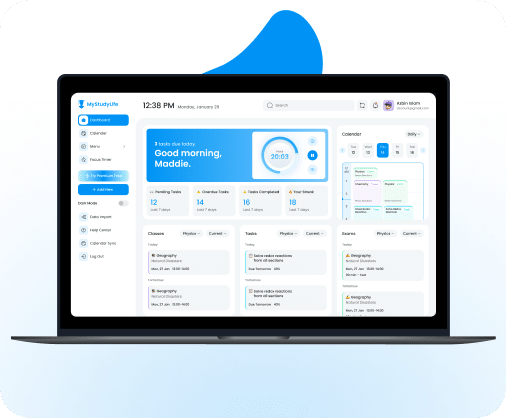
Best for: Students who struggle with organisation, forget homework, or feel overwhelmed by their schedule.
What it does: MyStudyLife is a free student planner designed around how school actually works. Unlike a generic calendar app, it understands rotating timetables, exam periods, and assignment deadlines — and brings them all into one clean view. Students can log their classes, add tasks and revision sessions, and see everything they need to do at a glance.
Why parents love it: If you’ve ever heard “I forgot” more times than you can count, MyStudyLife solves that problem. It sends reminders for upcoming deadlines, tracks incomplete tasks, and gives your child a single place to manage their academic life. You don’t need to nag — the app does it for you. There’s even a Family Connect companion app that lets you stay in the loop with your child’s schedule, assignments, and exam dates — without having to constantly ask.
How to help your child use it: Sit down with them at the start of term and help them input their timetable. Once the structure is in place, encourage them to add homework and revision blocks as they come up. The habit takes about a week to stick, and once it does, it runs itself. You can explore the full feature tour to see how it works before getting started.
Available on: iOS, Android, and web — completely free.
2. Quizlet — Flashcards That Actually Work

Best for: Students who need to memorise vocabulary, definitions, dates, formulas, or key facts.
What it does: Quizlet lets students create digital flashcard sets — or access millions of pre-made ones shared by other students around the world. It goes beyond simple flip cards with features like practice tests, matching games, and a “Learn” mode that adapts to what your child knows and doesn’t know.
Why parents love it: You can see your child actively engaging with material rather than just passively re-reading notes. Research from the American Psychological Association confirms that active recall — the method flashcard apps are built on — is significantly more effective for long-term retention than passive re-reading. Quizlet is also one of the easiest apps for younger students to pick up.
How to help your child use it: Encourage your child to create their own flashcard sets rather than only using others’. The act of writing out the cards is itself a powerful study technique. You can even quiz them by pulling up their sets on your own phone.
Available on: iOS, Android, and web. Free tier available; Quizlet Plus offers additional features.
3. Forest — Staying Focused Without Willpower
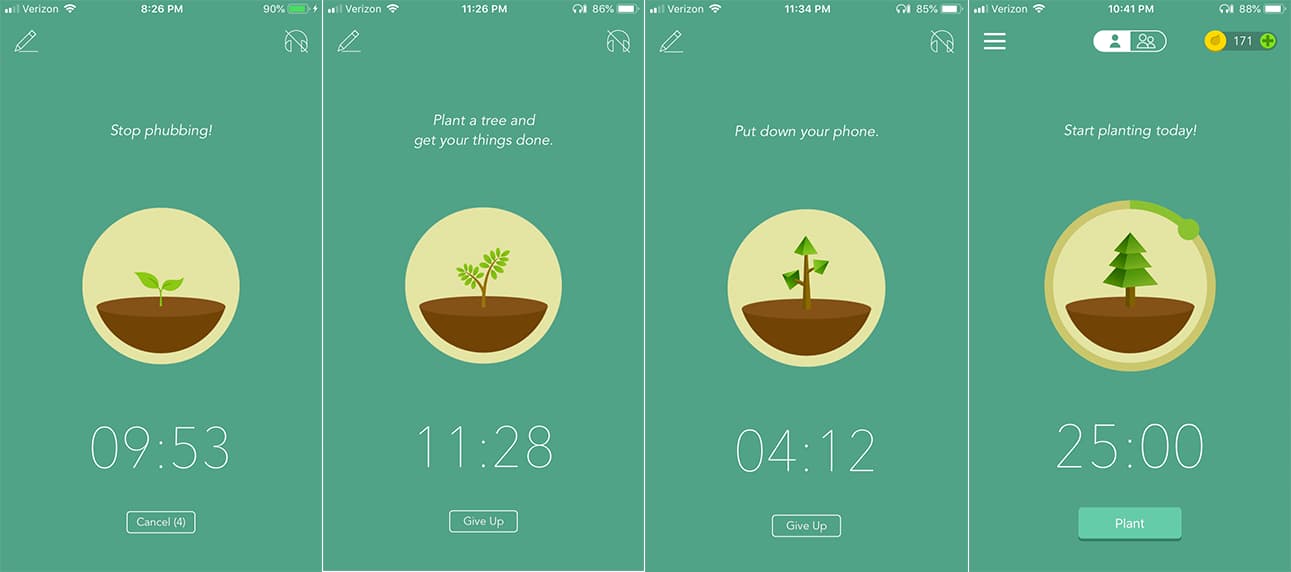
Best for: Students who are easily distracted by their phone during study sessions.
What it does: Forest uses a clever concept — when your child starts a focus session, a virtual tree begins to grow. If they leave the app to check social media or messages, the tree dies. Over time, they build an entire forest that represents their accumulated focus. The app also partners with Trees for the Future, so virtual focus translates into actual environmental impact.
Why parents love it: Instead of confiscating your child’s phone (which rarely ends well), Forest turns self-control into a game. It puts the responsibility in their hands and gives them a visual reward for staying on task. If your child already uses MyStudyLife’s built-in Pomodoro timer, Forest is a natural companion for adding extra accountability.
How to help your child use it: Agree on a study block length together — even 25 minutes is a great starting point. Let them show you their forest at the end of the week. It becomes a source of pride rather than a battle over screen time.
Available on: iOS and Android. Free version available; full version is a one-time purchase.
4. GoodNotes — Digital Notes for the iPad Generation
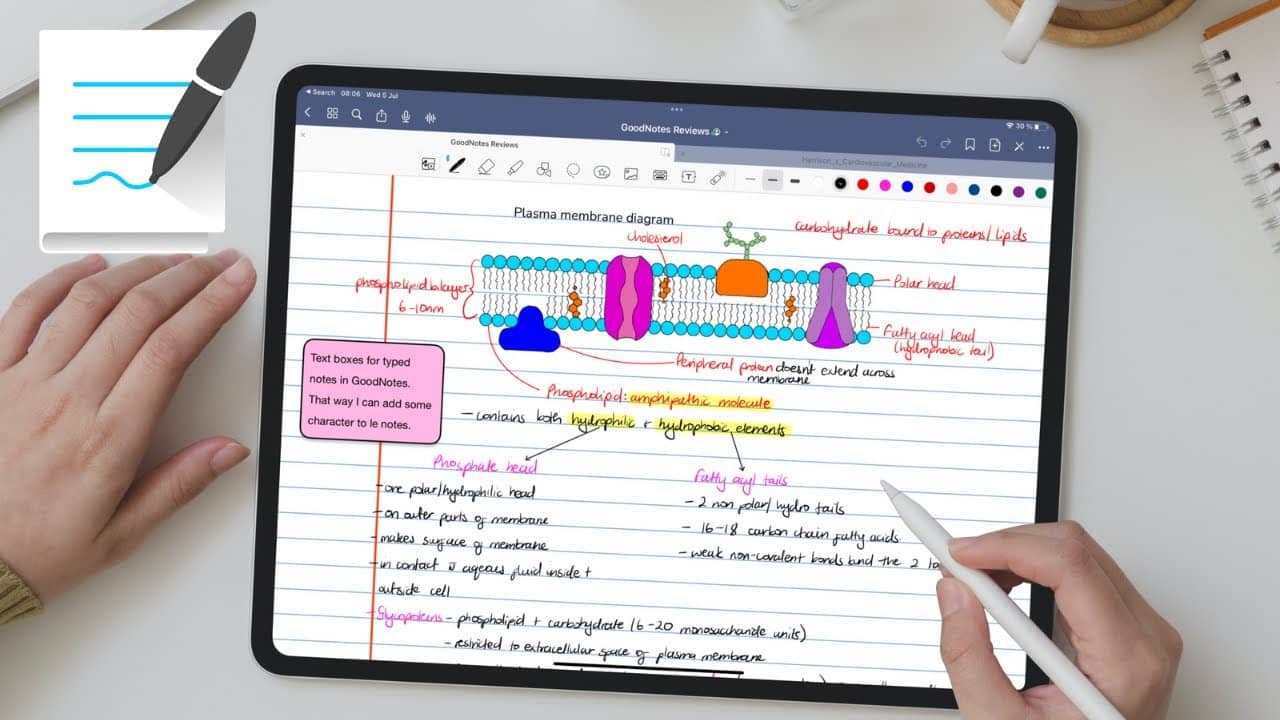
Best for: Students who prefer handwriting, take visual or diagram-heavy notes, or use an iPad or tablet for school.
What it does: GoodNotes turns a tablet into a digital notebook. Students can write, draw, highlight, and annotate PDFs — including textbooks and handouts from their teachers. The app’s search function can even find words inside handwritten notes, making revision incredibly efficient.
Why parents love it: No more lost notebooks or illegible scribbles on crumpled paper. Everything is organised by subject, searchable, and backed up automatically. For students studying subjects like biology, geography, or maths where diagrams matter, it’s a genuine upgrade over paper.
How to help your child use it: If your child already uses an iPad for school, GoodNotes is a natural fit. Help them set up one notebook per subject at the start of the year. If they’re currently carrying five notebooks in their bag, this replaces all of them.
Available on: iPad, iPhone, and Mac. Free tier (Essential) available; Pro plan unlocks additional features.
5. Anki — The Gold Standard for Long-Term Memorisation

Best for: Older students (GCSE and above) studying content-heavy subjects like sciences, languages, medicine, or law.
What it does: Anki uses spaced repetition — a method backed by peer-reviewed research showing that spacing out review sessions dramatically improves long-term retention. Unlike Quizlet, which is more casual, Anki’s algorithm is specifically designed for sustained recall over weeks and months. Students create cards, review them daily, and the app schedules each card based on how well they know it.
Why parents love it: It’s free on desktop and Android, and it works. Medical students, law students, and language learners worldwide rely on Anki because the science behind it is solid. If your child is preparing for high-stakes exams, this is one of the most effective tools available.
How to help your child use it: Anki has a steeper learning curve than Quizlet — the interface is less polished. Younger students may find it intimidating. If your child is in Year 10 or above and has a heavy content load, it’s worth the setup time. Offer to help them through the initial configuration and their first few card sets.
Available on: Windows, Mac, Linux, Android (free), and iOS (paid).
6. Notion — The Personal Knowledge Base
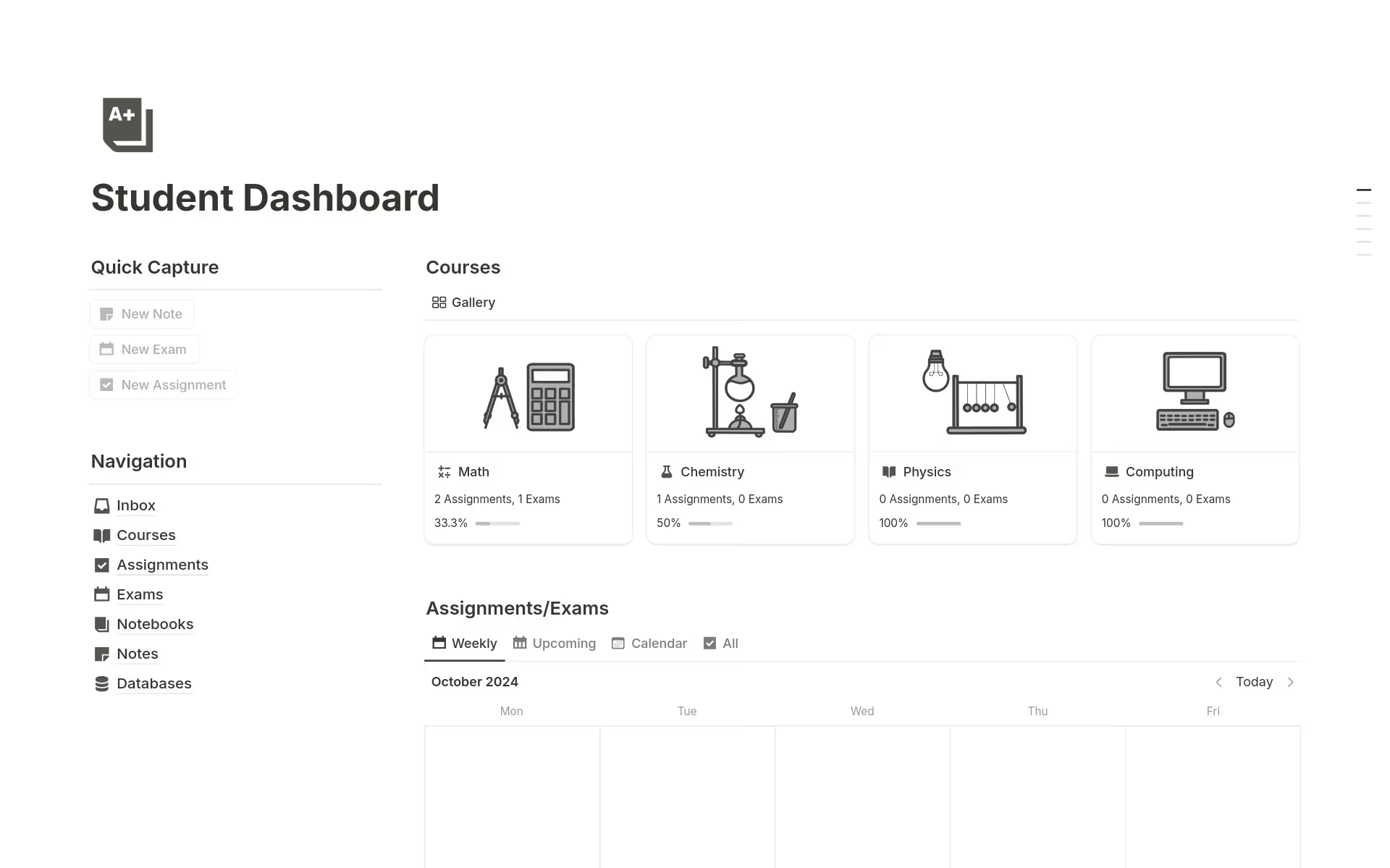
Best for: Sixth form and university students who want to organise notes, projects, and research in one place.
What it does: Notion is a flexible workspace that combines notes, databases, task lists, calendars, and wikis into a single app. Students use it to build everything from revision dashboards to essay planners to semester-long project trackers. It’s highly customisable — which is both its strength and its learning curve.
Why parents love it: For older students managing multiple subjects, coursework deadlines, university applications, and extracurriculars, Notion brings order to chaos. It teaches a style of self-management that carries directly into university and working life.
How to help your child use it: Don’t try to set this one up for them — Notion works best when the student builds it around their own workflow. Instead, point them toward the free student templates in Notion’s gallery. If they enjoy organising and systems-thinking, they’ll take to it quickly.
Available on: iOS, Android, Mac, Windows, and web. Free for students with an education email.
7. Khan Academy — Free, World-Class Lessons in Every Subject

Best for: Students who need to fill knowledge gaps, get ahead, or simply understand a topic better than their classroom teaching allowed.
What it does: Khan Academy offers thousands of free video lessons and practice exercises across maths, science, history, economics, and more. Content is structured by subject and level, and the platform tracks your child’s progress, showing exactly where they’re strong and where they need more work. It’s been rated highly by Common Sense Media for its quality and safety.
Why parents love it: It’s completely free — no premium tier, no ads, no upselling. The quality is genuinely high. If your child says “I don’t understand” a topic, Khan Academy is often the fastest way to fix that before it snowballs into exam-season panic.
How to help your child use it: Use it as a supplement, not a replacement. If your child comes home confused about a particular topic, suggest they watch the relevant Khan Academy video before their next class. You can also create a parent account to monitor their progress.
Available on: iOS, Android, and web. Completely free.
How to Actually Get Your Child to Use These Apps
Downloading an app is easy. Building a habit around it is the hard part. Research from Harvard’s Center on the Developing Child shows that executive function skills — the mental processes behind organisation, planning, and self-regulation — continue developing well into a young person’s twenties. That means your child isn’t being lazy when they forget homework; their brain is literally still building these capacities. The right app acts as scaffolding while those skills mature.
Here are a few things that help:
Start with one app, not five. The worst thing you can do is install everything on this list in one sitting. Pick the single biggest pain point — forgetting homework? Can’t focus? Doesn’t know how to revise? — and choose the app that addresses it. Add others later once the first habit is established.
Set it up together. The initial setup is where most students abandon an app. Spending 15 minutes with your child entering their timetable, creating their first flashcard set, or planting their first Forest tree makes it far more likely to stick.
Don’t use it as surveillance. The moment your child feels like an app is a monitoring tool for you rather than a help for them, they’ll stop using it. These apps work because they give students ownership of their own learning. Let that happen.
Praise the process, not the grade. If your child built a forest of 30 focused study sessions, that’s worth celebrating — regardless of the exam result. The habits they’re building now will serve them for years beyond school. The American Psychological Association has consistently found that parental involvement focused on encouragement and structure — rather than pressure — leads to better academic outcomes.
The Bottom Line
Your child doesn’t need every app on this list. They need one or two that solve a real problem they’re experiencing right now. The best study app in 2026 isn’t the most expensive or the most feature-rich — it’s the one your child will actually open every day.
If you’re not sure where to start, try MyStudyLife. It’s free, it takes five minutes to set up, and it solves the most common problem parents tell us about: “My child just can’t keep track of what’s due and when.” Once the organisational foundation is in place, everything else — focus, revision, memorisation — becomes much easier to build on. And with Family Connect, you can stay involved without hovering.
Your child’s phone can be their most powerful study tool. It just needs the right apps on it.
Looking for more ways to support your child’s academic success? Check out our guides on creating an effective study timetable and tracking homework and assignments.


