

Class planner and school timetable apps to stay organized this year
In today’s fast-paced academic world, organization is critical for success. With the demands of juggling classes, assignments, and activities, students increasingly need effective time management. Thankfully, the digital age has produced many timetable apps that can streamline schedules, boost organization, and enhance academics. This article explores the benefits of these apps, recommends six excellent options, and demonstrates how they can be instrumental in academic achievement.

The benefits of school timetable apps:
Timetable apps are indispensable tools that help students achieve academic success through effective time management. By digitizing and centralizing class schedules, assignments, exams, and other obligations into one platform, these apps make it easy for students to stay organized. Their ability to set reminders and provide notifications ensures students never miss an important deadline. Timetable apps also promote efficient learning through features like collaboration tools, note-taking, and task management. With their robust capabilities, these apps empower students to take control of their schedules and develop the time management skills that are the cornerstone of academic achievement.
How to best use schedule planner apps:
1. Make it a routine
To get the most out of a school scheduling app, seamlessly integrate it into your daily routine. Meticulously enter all important dates – class schedules, assignment deadlines, exams, and extracurriculars. This ensures a comprehensive overview of your obligations, so you fully understand what’s required.
2. Use alerts and notifications:
Take advantage of the reminder and notification features to get timely alerts about deadlines, meetings, and other important events. Setting up these alerts will help you stay organized, manage your time effectively, and avoid forgetting key tasks or responsibilities. Try MyStudyLife’s free student planner app to get notifications for upcoming classes and due dates.
3. Color coding and categorizing
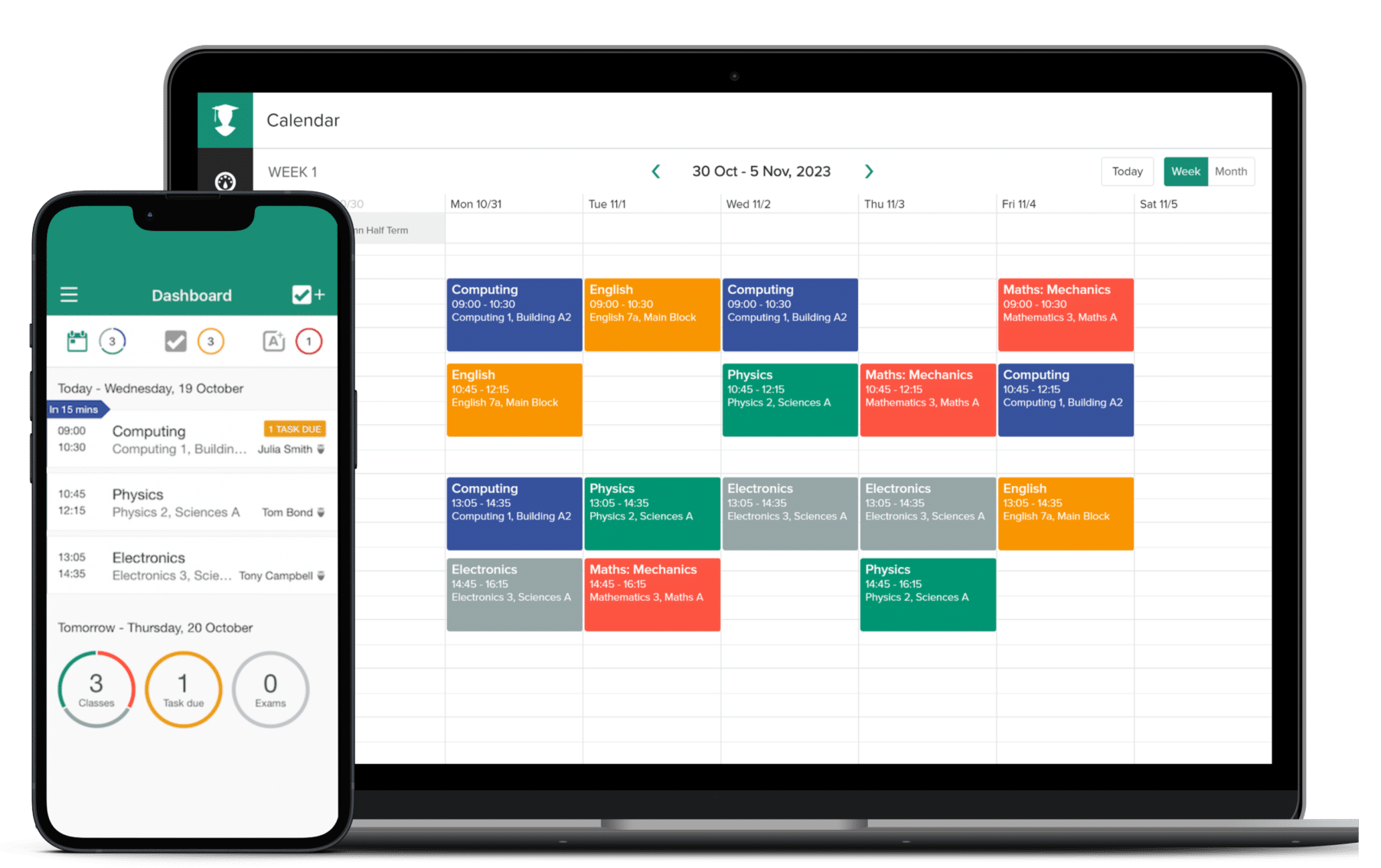
Various timetable apps allow you to assign colors to events and categorize them by subject or type, visually organizing your schedule and making it easy to quickly distinguish different elements.
4. Sync with other tools:
To ensure a smooth workflow and minimize overlooking important details, consider syncing your timesheet app with any other productivity tools you use, such as note-taking apps and task management platforms.
5. Regular updates and reviews:
View your timetable app as a flexible tool that adapts throughout the semester. Update it regularly as your schedule changes, and check it daily to stay on top of your commitments.
Our ultimate list of the best timetable apps:
1. MyStudyLife
MyStudyLife is a comprehensive student planner app that allows users to enter course schedules, track assignments and exams, set reminders, and sync data across devices for easy access.
2. Notion
Notion is a flexible workspace app with customizable templates for scheduling, task management, note-taking, and collaboration. Its versatility makes it suitable for both simple and complex planning needs.
3. Google Calendar
Google Calendar is a widely used, reliable scheduling tool that easily integrates with other Google services like Gmail for seamless functionality. Its collaboration features make Google Calendar a great option for group projects and study sessions.
4. Microsoft Planner
Microsoft Planner deeply integrates with Microsoft 365 to offer robust task management, collaboration, and scheduling features, making it an ideal choice for students already utilizing Microsoft services.
5. Trello
While best known as a task manager, Trello’s customizable boards and cards can also create dynamic plans. Trello’s visual, interactive approach suits those who prefer a practical, hands-on organizational style.
6. Todoist
Todoist seamlessly integrates with academic schedules through features like deadlines, priorities, and project organization. This powerful, intuitive task manager helps students stay on top of assignments and responsibilities.
Timetable apps are essential for students striving for academic success, providing invaluable organization, time management, and reminders. Integrating the right app into daily routines enables structured, efficient learning. While apps like MyStudyLife, Notion, Google Calendar, and Microsoft Planner each have unique features, students should choose one that best fits their needs and supports their goals. By fully utilizing their chosen app, students can approach their studies in an organized, timely, and confident manner, equipping themselves for academic achievement.


